

Updated -August – 2026
Most people starting out in digital marketing think they need expensive software to compete. They don’t. What they need is the right free AI tools — and right now, there are more good ones than ever.
This post covers the best free AI tools for digital marketing in 2026, what they actually do well, and where beginners tend to go wrong with them.
Why Free AI Tools Actually Work Now
A few years ago, free tools were a consolation prize. You got limited features, annoying watermarks, and constant upgrade pop-ups. That’s changed. Some of the most capable AI tools today have genuinely usable free tiers — not trials, not demos. Free.
I’ve tested dozens of them for content creation, SEO research, social media, and email marketing. Some are incredible. Some are overhyped. Here’s what’s actually worth your time.
Quick note before we start: ‘free’ usually means limited. You’ll hit usage caps. That’s fine for beginners — these caps are rarely a problem until you’re scaling, and by then you’ll know which tools deserve your money.
Free AI Tools for Digital Marketing: The Full Breakdown
1. ChatGPT (Free Plan) — Your Content Swiss Army Knife
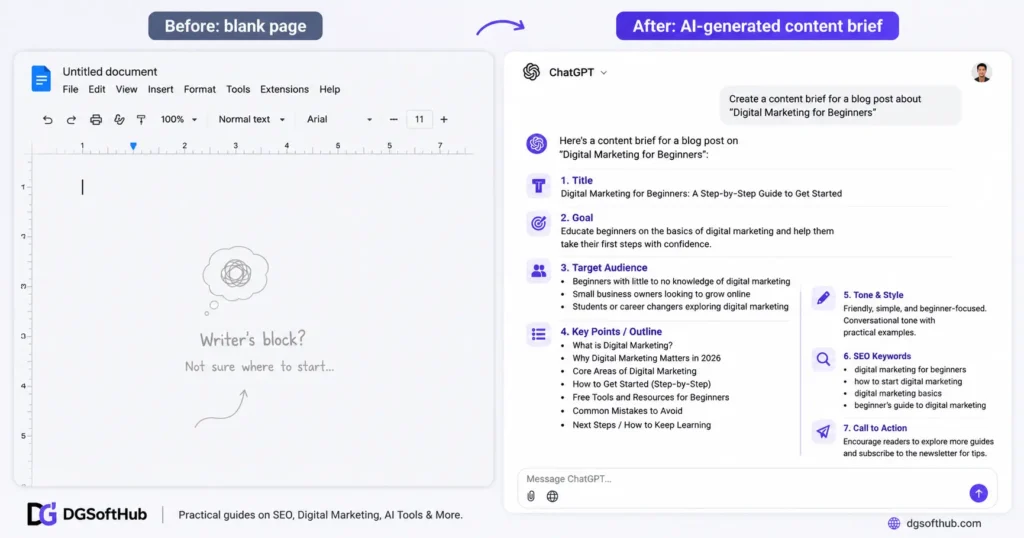
Yes, everyone knows ChatGPT. But most beginners use it wrong. They ask vague questions and get vague answers. They paste in a topic and expect a finished blog post. That’s not how this works.
Here’s where things usually go wrong: beginners treat ChatGPT like a magic button instead of a thinking partner. The output quality is almost entirely determined by your prompt quality. Garbage in, generic out.
What it’s actually good for: writing first drafts you then edit, creating content outlines, brainstorming campaign ideas, rewriting bland copy, and generating social media captions at scale.
Try this prompt instead of ‘write me a blog post’: “Act as a digital marketing consultant with 10 years of experience. Write an outline for a 1,500-word beginner’s guide to [topic], targeting someone who has never run an ad before. Use a conversational tone.”
The free plan (GPT-4o) is more than enough for most beginners. You get solid writing quality, image understanding, and decent context memory.
2. Google Gemini — Best for Research-Heavy Tasks
Gemini has one advantage ChatGPT doesn’t: it’s connected to Google Search by default. That matters a lot when you’re doing competitor research, checking recent trends, or pulling current stats for a blog post.
For digital marketers, this makes Gemini particularly useful for market research briefs, writing content that references recent events, and validating keyword ideas against real search data.
Most beginners skip Gemini entirely because they already use ChatGPT. That’s leaving a useful tool on the table. Use both. They complement each other.
3. Canva AI (Free Plan) — Design Without a Designer
If you’re running social media, email campaigns, or a blog, visuals matter. A lot. Bad graphics make even great content look amateur.
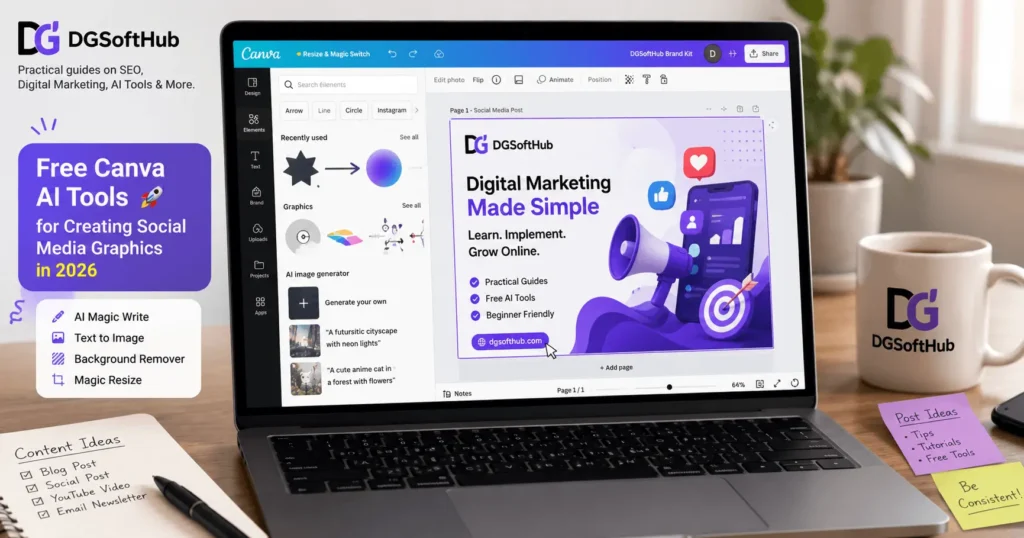
Canva’s free plan now includes AI-powered features like Magic Write (copy generation), background removal, and text-to-image generation. The free tier has limits, but for a beginner producing content consistently, it covers most needs.
In practice, what this looks like is: you draft a LinkedIn post in ChatGPT, then jump to Canva to create the graphic — resized automatically for LinkedIn dimensions, with your brand colors, in about 10 minutes. That used to take a graphic designer.
4. Ubersuggest Free Plan — Keyword Research on Zero Budget
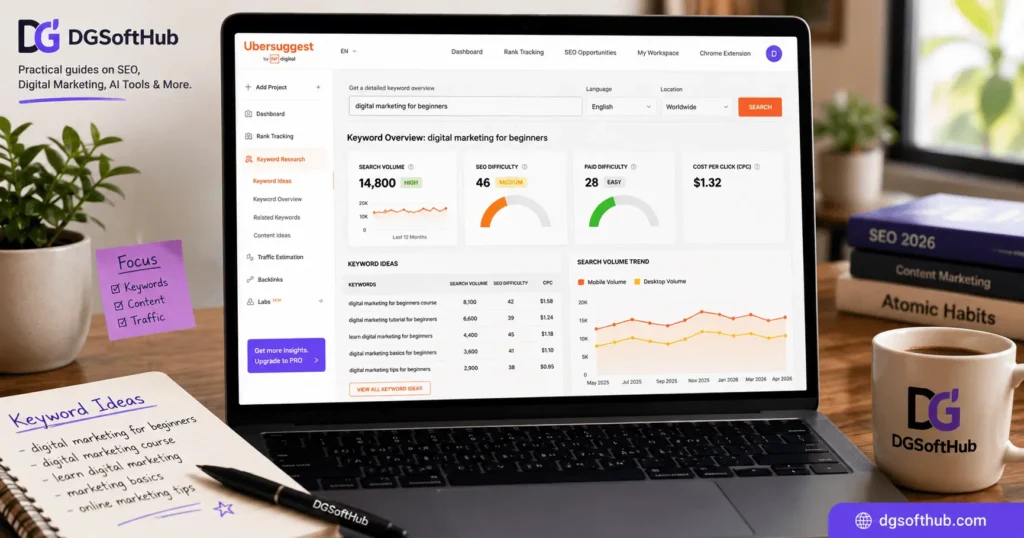
Neil Patel’s Ubersuggest gives you three free searches per day. That sounds limiting, but if you’re strategic about it, it’s actually enough for early-stage keyword research.
What you want to look for: keywords with high search volume but low SEO difficulty (under 35 for a new site). Ubersuggest shows you both, along with the top-ranking pages for any keyword so you can see what you’re competing against.
This is the part nobody talks about — beginners often pick keywords by instinct. Then they spend weeks writing content that ranks on page 8. Keyword research isn’t optional. It’s the foundation.
5. Mailchimp Free Plan — Email Marketing That Doesn’t Cost You
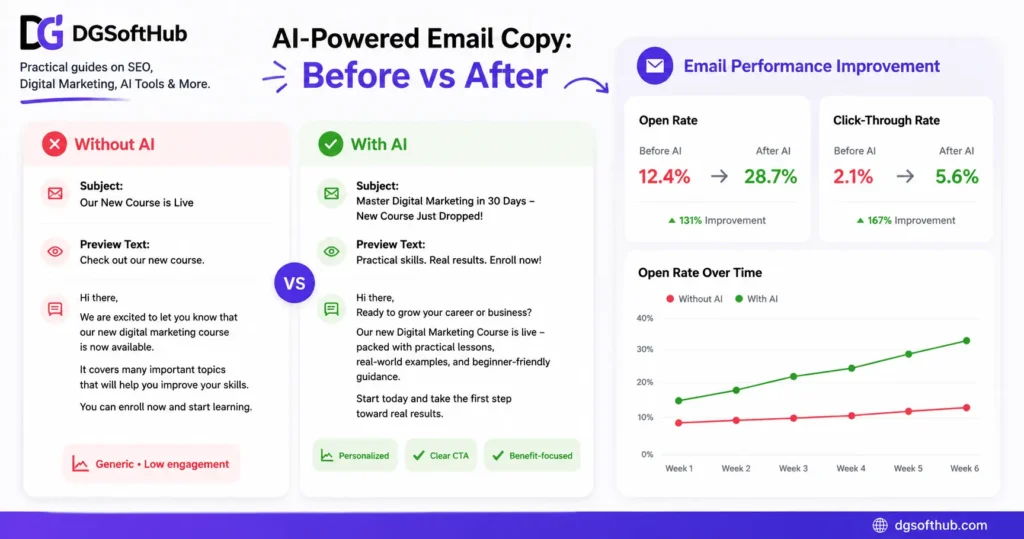
Email still outperforms social media for conversions. Not by a little — by a lot. A 2–3% email click rate versus a 0.5% organic social reach isn’t unusual.
Mailchimp’s free plan lets you send to up to 500 contacts and includes a basic AI content assistant that helps you rewrite subject lines and email body copy. For a beginner building their first email list, this is more than enough.
Here’s where most beginners go wrong with email: they set up the list and then… don’t email anyone. Consistency matters more than perfection. One email a week is better than a perfect email every three months.
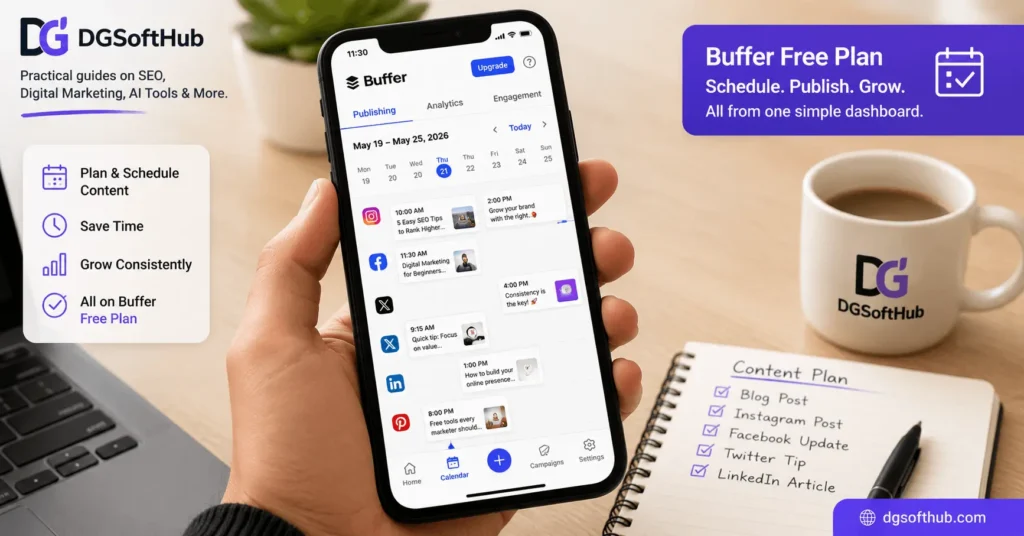
6. Buffer Free Plan — Social Media Scheduling Without the Chaos
Posting manually to three platforms every day is exhausting. Buffer’s free plan lets you connect up to three social channels and schedule 10 posts per channel. Not huge, but workable.
The AI assistant in Buffer helps you repurpose content — paste in a blog post paragraph and it’ll generate platform-specific captions for Twitter/X, LinkedIn, and Instagram. That’s a real time-saver when you’re doing everything yourself.
7. Grammarly Free — Because Typos Kill Credibility
This one’s unsexy but essential. Spelling mistakes and grammar errors erode trust faster than almost anything else online. Grammarly’s free plan catches the basics: typos, grammar issues, and run-on sentences.
The paid version is much better for tone and clarity suggestions. But the free version? Still worthwhile. Install it as a browser extension and it works everywhere — Gmail, WordPress, social platforms, Google Docs.
How to Build a Free AI Tool Stack as a Beginner
Here’s a realistic setup that costs you nothing and covers the main areas of digital marketing:
- Content creation: ChatGPT (drafts, outlines, captions)
- Research: Google Gemini (trends, competitor analysis, fact-checking)
- Design: Canva AI (social graphics, blog banners, email headers)
- SEO: Ubersuggest (keyword research, competitor content gaps)
- Email: Mailchimp (list building, campaigns, automation)
- Social scheduling: Buffer (batching posts, cross-platform repurposing)
- Editing: Grammarly (proofreading everything before it goes live)
That’s a full workflow. Content → design → SEO → distribution → email → social. And it’s free.
The mistake most beginners make isn’t using bad tools. It’s using too many tools at once and mastering none of them. Start with three: ChatGPT, Canva, and Ubersuggest. Get comfortable. Then add the others.
Common Mistakes Beginners Make With Free AI Tools
Mistake 1: Using AI Output Without Editing It
AI-generated content is a starting point, not a final product. Google’s ranking systems reward original, helpful, and well-edited content. Low-effort content, regardless of how it’s created, tends to perform poorly over time. Add your own experience, opinions, and specific examples. That’s what makes content worth reading.
Mistake 2: Jumping Between Tools Instead of Building a System
New tools launch constantly, and it’s tempting to try every one. Resist this. Consistency with three tools beats novelty with fifteen. Build a repeatable workflow first, then optimize it.
Mistake 3: Ignoring Analytics
Every free tool listed here has some form of analytics. ChatGPT can’t tell you what resonated, but Mailchimp can (open rates, click rates), Buffer can (post engagement), and Google Search Console is free and shows you exactly which keywords are bringing people to your site. Look at the data. Adjust. Most beginners never do this.
More information available here too
- SEO Basics – Step-by-Step Guide to Rank on Google
- Best SEO Tools for Beginners in 2026
- How to Write SEO Friendly Blog Posts
- Best Free Tools for Digital Marketing Beginners
- How to Make Money with Digital Marketing
♠ Download Starter Kit for Free
Frequently Asked Questions
Are free AI tools good enough for professional digital marketing work?
For beginners — yes, absolutely. Free tools like ChatGPT, Canva, and Mailchimp are used by professionals daily. The free tiers are genuinely capable. You’ll hit limits as you scale, but that’s a good problem to have.
Will Google penalize content written with AI tools?
Google doesn’t penalize AI-written content simply because it was written by AI. It penalizes low-quality, unhelpful content — regardless of how it was created. Edit your AI drafts, add real insight, and write for people first. That’s the standard.
How many free AI tools should a beginner start with?
Two or three, maximum. Most people get overwhelmed and accomplish less by using more tools. Start with ChatGPT for content and Canva for design. Add keyword research (Ubersuggest) once you’re publishing consistently.
Is ChatGPT the best free AI tool for digital marketing?
For writing tasks, yes — it’s still the most versatile. But it’s not the only one worth using. Gemini is better for research, Canva AI is better for design, and Ubersuggest is better for SEO data. The best tool depends on the task.
Can I build a digital marketing business using only free tools?
Many people have. Free tools can absolutely get you started and take you further than you’d expect. The point where you need paid tools is usually when you’re handling multiple clients, running larger ad budgets, or need deeper analytics. Until then, free is fine.
What’s the biggest limit of free AI tools?
Usage caps and feature restrictions. ChatGPT’s free plan limits message volume during peak times. Ubersuggest limits daily searches. Buffer limits scheduled posts. None of these are dealbreakers for beginners — they’re just incentives to upgrade once you’ve grown enough to need it.
Do I need to learn prompt engineering to use these tools effectively?
You don’t need to study it formally, but learning how to write better prompts will make a noticeable difference in the quality you get from ChatGPT and Gemini. The basic principle: be specific. Tell the AI who it is, what you need, who the audience is, and what tone to use. That alone gets you 80% of the way there.
What You Should Do Next
Don’t bookmark this and move on. Here’s exactly what to do in the next 30 minutes:
- Open ChatGPT and write one piece of content you’ve been putting off. Use the prompt format from the callout above.
- Sign up for Canva if you haven’t already. Create one graphic for social media — even a simple quote card counts.
- Run three keyword searches on Ubersuggest for topics you’re planning to write about. Note the difficulty scores.
- Set up a Mailchimp account and create a signup form even if you have zero subscribers. The list has to exist before it can grow.
- Connect one social account to Buffer and schedule your next five posts in one sitting.
That’s it. You now have a working free AI tool stack and a reason to actually use it. The marketers who improve fastest aren’t the ones who read the most — they’re the ones who build the habit of creating consistently, then getting better at it over time.
Start today. Refine as you go.
About Author
Hi, I’m Muhammad Arif Hussain, a digital marketer, SEO strategist, and the creator of DGSoftHub. I started this blog with a simple mission: to make online growth accessible to everyone. Whether you are trying to rank your first blog post, optimize your website’s technical performance, or land your first client on freelancing platforms like Fiverr, I provide the practical tools and straight-to-the-point strategies you need to build a profitable digital presence with zero fluff.