
Updated: Aug-2026
Learning how to write SEO friendly blog posts is something most people think about after they’ve already hit publish. That’s already the wrong order — and it’s why so many posts sit on page 4 collecting dust no matter how good the writing is
This guide covers how to write SEO friendly blog posts from the start, not as an afterthought — keyword research, structure, on-page basics, and the small things that actually make a difference.
Start with a Keyword — Not a Topic
Here’s how most beginners approach a new post: they think of something interesting to write about, write it, and then try to sprinkle in some keywords at the end. That’s not keyword research. That’s just hoping.
The smarter approach is to start with what people are actually searching for, and build your post around that. It doesn’t mean your writing becomes robotic — it just means you’re writing about things people are genuinely looking for.
Most beginners skip this step entirely, and it’s the single biggest reason their posts never rank.
How to Find the Right Keyword
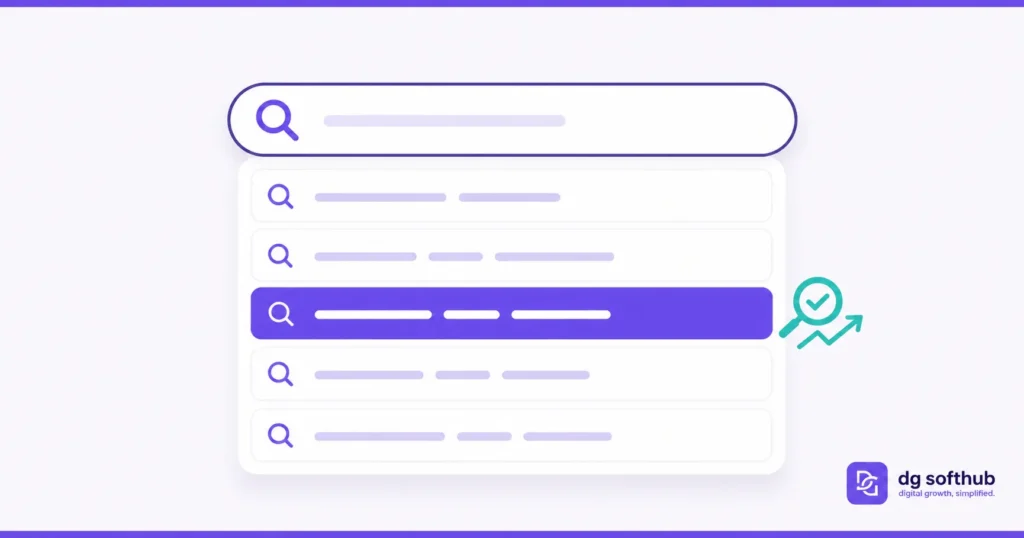
You don’t need a paid tool to get started. Open Google, type a half-finished phrase — ‘how to write a blog post for’ — and watch what autocomplete suggests. Those suggestions are pulled from real searches happening right now.
Then scroll down the results page and check the People Also Ask box. Each question there is a potential blog topic. Most of them are low competition, long-tail phrases that bigger sites never bother to target specifically.
Once you have a few candidates, run them through Ubersuggest or Google Keyword Planner to check search volume and difficulty. You’re looking for keywords with clear intent, not just high numbers. A keyword with 200 searches a month and low competition beats a 10,000-search keyword you have zero shot at ranking for.
What Makes a Good Focus Keyword for Beginners
- It’s a complete phrase — 4+ words is usually safer for new sites
- It has a clear searcher intent behind it (someone wants to learn, do, or buy something specific)
- The first page of Google results shows some independent blogs, not just huge publications
- The keyword matches exactly what your post will actually cover — not a close cousin of it
Structure Your Post Before You Write a Word
Experienced bloggers outline first. Beginners usually just start typing. The difference shows up in the final product — posts without a plan tend to meander, repeat themselves, and miss obvious angles the reader wanted covered.
A proper outline also helps you naturally distribute your focus keyword and related terms throughout the post, which is good for SEO without any extra effort.
The Structure That Works
For most beginner blog posts in the 1,500–2,500 word range, this is the framework that consistently performs:
- H1: Post title (includes your focus keyword)
- Short intro — 2 to 4 sentences, gets to the point fast
- H2 sections — 4 to 7 of them, each covering one clear angle
- H3 sub-sections under H2s where a topic needs breaking down
- FAQ section near the end — addresses questions people actually search
- Final section with specific action steps
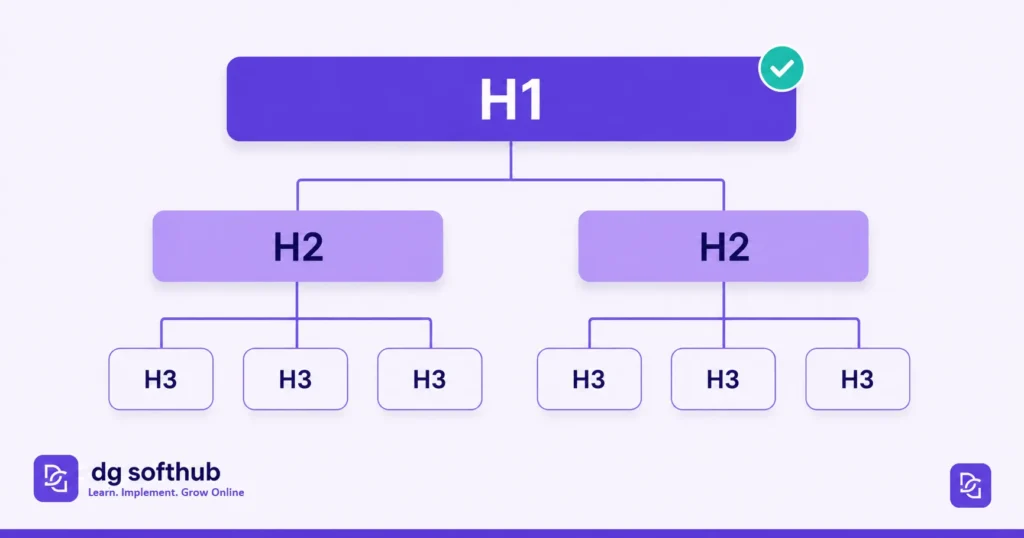
Each H2 should be able to stand alone as a mini-post. If you read just the headings and get a clear picture of what the article covers, the structure is working.
Here’s where things usually go wrong: people write long H2 sections with no H3 sub-sections, leaving walls of text that readers bounce off within 30 seconds.
Write the Intro Like You Mean It
The intro is the part most people phone in. They write two paragraphs of throat-clearing, explaining what the post is going to be about, before they actually say anything useful. By the time they get to the point, the reader is gone.
Your first sentence should create an immediate reaction — agreement, surprise, or recognition. Something the reader nods at. Then get to the value fast.
What a Good Intro Does
- Opens with a relatable problem or a bold statement — no slow warm-up
- Mentions the focus keyword naturally within the first 100 words
- Tells the reader in one sentence what they’ll get from the post
- Does NOT start with ‘In this article, we will explore…’ — that’s a fast way to lose someone
Imagine this: you Google a question, click the first result, and the post starts with three sentences about the history of blogging. You hit the back button. Don’t be that post.
On-Page SEO Checklist for SEO Friendly Blog Posts
On-page SEO sounds complicated until you realize it’s mostly a checklist. Go through it once per post and you’ve covered the basics. Here’s what actually matters:
Title and Meta Description
Your SEO title should include your focus keyword near the front, stay under 60 characters, and give the reader a reason to click. The meta description (150–160 characters) should read like a human wrote it, not a keyword stuffed robot. Both show up in search results — they’re your first impression.
Headings
Use one H1 — your post title. Then H2s for main sections, H3s for sub-points. Google reads your heading hierarchy to understand what your post covers. It also helps real people skim, which keeps them on the page longer — which is also a signal Google cares about.
Keyword Placement
Your focus keyword should appear in: the H1, the first 100 words of the intro, at least one H2, the meta description, and 2 to 3 body paragraphs. That’s it. Don’t force it in more places. Forced keyword repetition reads badly to humans and Google has long since moved past rewarding it.
How to Find Low Competition Keywords
Images and Alt Text
Every image needs an alt text — a short description of what the image shows. It helps visually impaired readers, and it’s how Google understands what an image is about. Keep it descriptive and natural: ‘Google Search Console dashboard showing blog post performance’ beats ‘image1’ or a keyword stuffed phrase.
Also compress your images before uploading. A slow-loading page hurts both user experience and Core Web Vitals scores, which are a real ranking factor. Convert to WebP and keep files under 100KB where possible.
URL Slug
Keep it short, lowercase, hyphenated, and keyword-first. Drop filler words like ‘the’, ‘a’, ‘and’. So ‘how-to-write-seo-friendly-blog-posts’ beats ‘how-to-write-an-seo-friendly-blog-post-for-beginners-in-2026’. Shorter slugs are cleaner and easier to share.
Internal Links: The Most Underused SEO Tactic
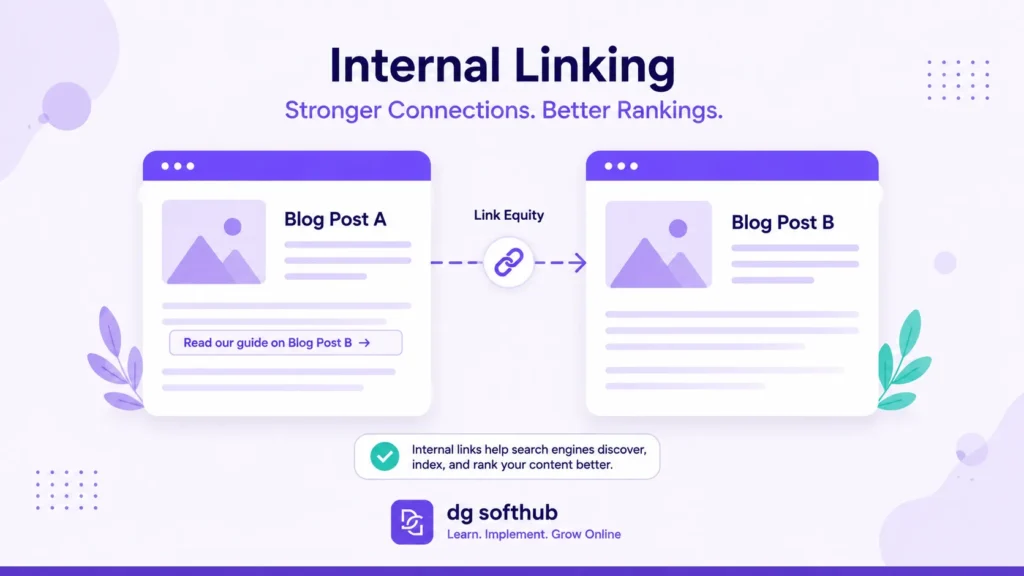
This is the part nobody talks about enough. Internal links — links from one of your posts to another — pass authority around your site and help Google understand how your content is connected.
Every new post you publish should link to at least 2 or 3 relevant existing posts. And every time you publish something new, go back to older related posts and add a link to the new one. It takes five minutes per post and compounds over time.
In practice, what this looks like is: you write a post on keyword research, then in your SEO tools post you add a sentence like ‘Once you have keywords, here’s how to use them effectively’ with a link. Simple. Natural. Effective.
One rule: only link when it genuinely helps the reader. Don’t force links into places they don’t belong — that reads as spammy and doesn’t help anyone.
Readability: Write for Humans, Optimize for Google
SEO and good writing are not in conflict. A post that’s easy to read keeps people on the page longer. People staying on the page longer signals to Google that the content is useful. Better engagement signals lead to better rankings over time. It’s a loop.
What Readable Actually Means
- Short paragraphs — 3 to 5 lines max. Big walls of text get skimmed past.
- Varied sentence length — short punches, then a longer sentence for depth, then short again. Rhythm keeps people reading.
- Plain language — if you’d say it differently in conversation than you wrote it, rewrite it.
- Transition naturally — ‘That said,’ and ‘Here’s the thing:’ work. ‘Furthermore’ and ‘Moreover’ don’t.
Target a Flesch Reading Ease score of 70 to 80. That’s roughly the level of a clear magazine article — accessible without being dumbed down. Most SEO plugins will show you this score as you write.
The FAQ Section: Free Real Estate for Rich Results
A FAQ section near the end of your post does two things. First, it answers questions people commonly search related to your topic — which can bring in additional search traffic beyond your main keyword. Second, if you add FAQ schema markup to the code, Google can display your questions and answers directly in search results as rich snippets.
That expanded appearance in search results takes up more visual space, which tends to increase click-through rate even if your actual position doesn’t change.
Keep your FAQ questions specific and realistic — the kind of thing someone would actually type into Google, not the kind of question a textbook would ask. Five to seven questions is usually the right range.
Common Mistakes That Kill Your Rankings
I’ve seen beginners make these constantly — and in most cases they don’t even know it’s happening:
Targeting the wrong keyword
Going after broad, high-volume keywords with a new site is like entering a marathon on your first day of running. Pick specific, lower-competition phrases and build from there.
Ignoring search intent
If someone searches ‘best SEO tools for beginners’, they want a list and comparison. If you write a philosophical piece about why SEO tools matter, you’ve misread the intent — and you’ll rank poorly even if the writing is great.
Publishing and disappearing
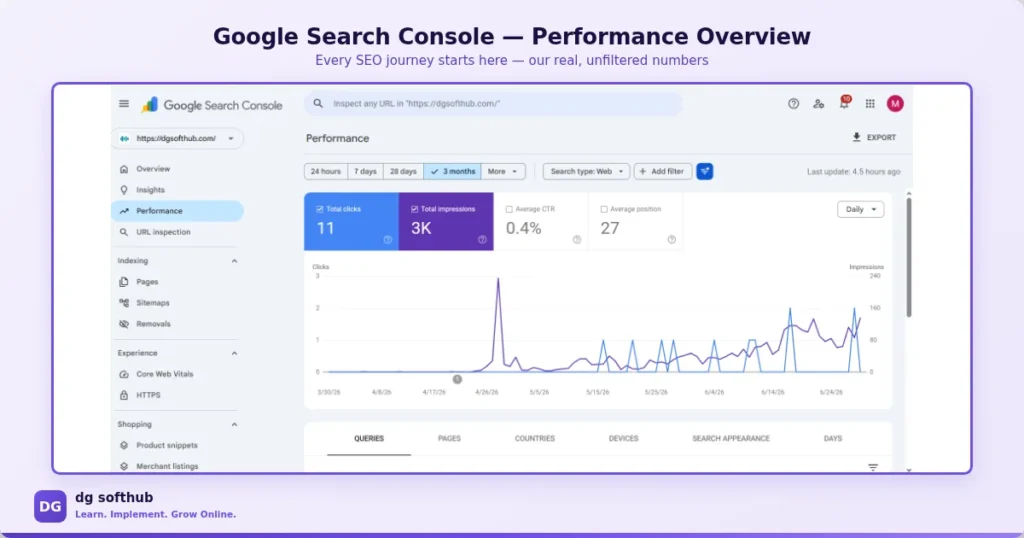
A post isn’t done when you hit publish. Go back after a month and check Search Console — which queries are bringing impressions? Are any headings misaligned with what people are searching? Small adjustments based on real data can move a post from page 3 to page 1.
No internal links
Publishing in isolation — every post an island — is one of the slowest ways to build authority. Link your content together. It takes minutes and it compounds.
Keyword stuffing
Repeating your focus keyword every other paragraph doesn’t help — it actually hurts readability and can trigger penalties. Use it naturally where it fits. Google is smart enough now to understand topic context without needing the exact phrase repeated ten times.
Keep Learning
Download Your Free SEO Starter Kit
FREQUENTLY ASKED QUESTIONS
Q: How long should an SEO friendly blog post be?
There’s no magic number, but most posts that rank well are between 1,500 and 2,500 words for informational topics. The real question is: does the post fully answer the search query? If it does that in 900 words, that’s fine. If it takes 3,000, write 3,000. Don’t pad for the sake of length.
Q: How many keywords should I use per post?
One focus keyword per post. You can naturally include related phrases and synonyms as you write, but chasing multiple focus keywords in one article usually means you do none of them justice. One post, one keyword, done well.
Q: Do I need to know how to code to do on-page SEO?
No. If you’re on WordPress and using a plugin like AIOSEO or Yoast, the technical basics are handled. You fill in the title, meta description, and alt texts through the plugin interface — no code required. The only exception is schema markup like FAQ schema, which can be added with a simple copy-paste of JSON-LD code.
Q: How soon will my post rank after publishing?
It depends on your site’s age, authority, and how competitive the keyword is. For a new site targeting low-competition keywords, you might see movement in 4 to 12 weeks. Don’t expect overnight results — and don’t judge a post as a failure after two weeks. SEO is a slow burn.
Q: Should I update old blog posts for SEO?
Yes — and this is often more valuable than writing a brand new post. If an older post is getting impressions but few clicks, refresh the title, update the content, and add any missing on-page elements. Google likes freshness signals and often rewards updated posts with a ranking bump.
Q: Is it better to publish frequently or publish less but with higher quality?
Quality beats frequency every time. One well-researched, properly optimized post per week is worth more than five rushed ones. Google is getting better at detecting thin content, and readers will bounce off posts that don’t actually help them.
Q: Do I need backlinks to rank a blog post?
For very competitive keywords, yes — backlinks matter a lot. But for low-competition long-tail keywords, a well-optimized post on a site with some topical authority can rank without many external links at all. Focus on on-page SEO and internal linking first, then build backlinks as a second layer.
Build a Consistent Content Workflow
Ready to turn SEO-friendly writing into a consistent content workflow? The DGSoftHub roadmap helps you optimize, measure, and improve your content beyond the writing stage.
Included Resources:
- 🧰SEO Success Toolkit — Implementation framework to streamline your publishing workflow.
- 🔎Google Search Console Action Checklist — Track performance and improve post-launch optimization.
What You Should Do Next
Not ‘keep writing’ or ‘stay consistent’ — here are actual steps:
- Pick your next blog topic and find its focus keyword before you write a single sentence. Use Google Autocomplete, check People Also Ask, and verify volume in Ubersuggest or Keyword Planner.
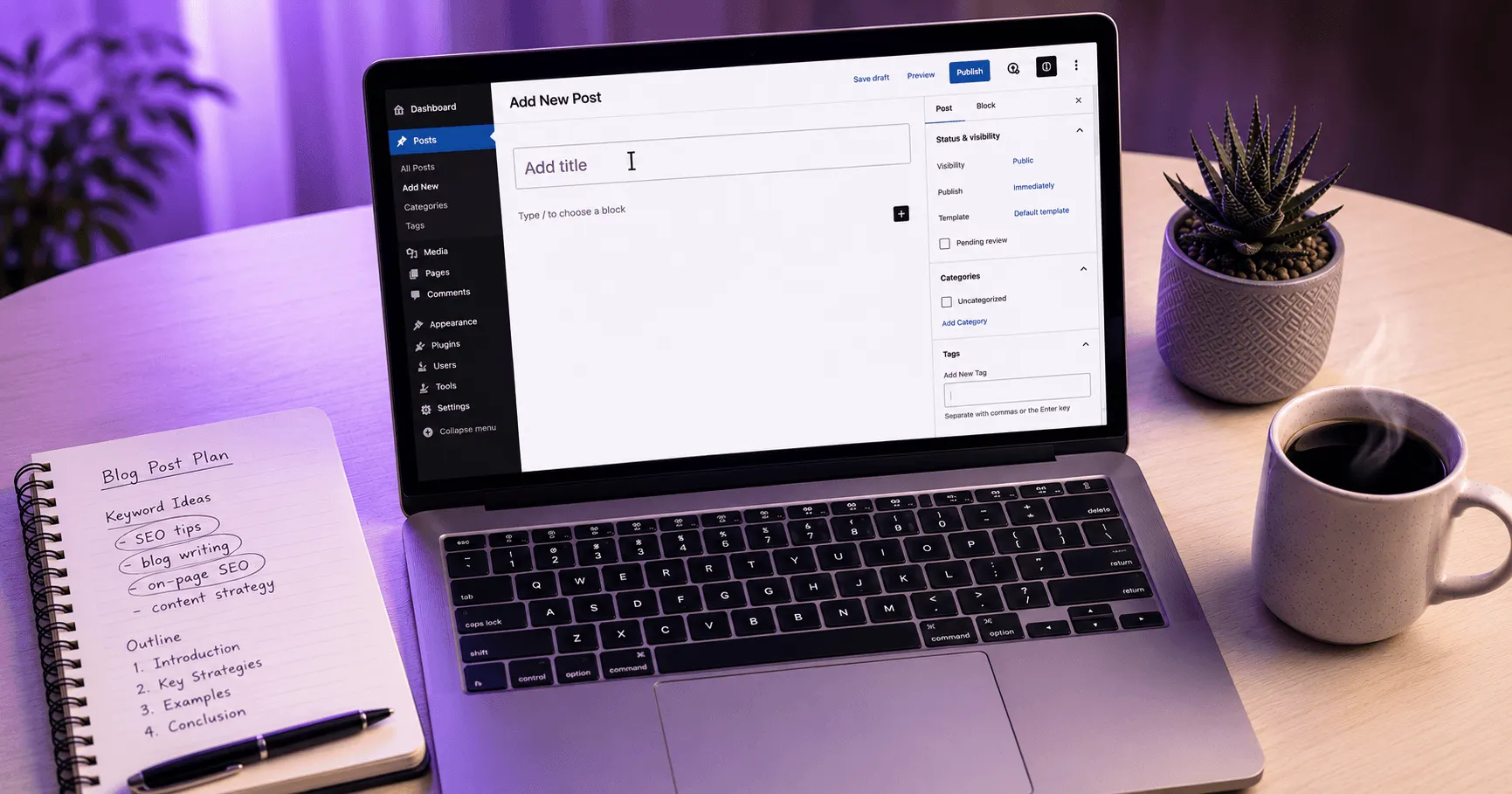
- Outline the post first. Write your H1, then list your H2 sections, then H3 sub-points. Publish the outline as a draft in WordPress before you start writing the body.
- After publishing, add your post to Google Search Console via URL Inspection and request indexing. Don’t wait for Google to find it on its own.
- Come back 4 weeks later and check performance in Search Console — look at which queries brought impressions and whether any of them suggest a heading or section you’re missing.
- Add internal links to this post from 2 or 3 relevant older posts on your site.
That’s the actual workflow — not aspirational advice, just the process that moves posts from invisible to ranking. Start with the keyword. Build the structure. Get the on-page basics right. Then check the data and adjust.
ABOUT THE AUTHOR
Muhammad Arif Hussain
Muhammad Arif Hussain is the founder of DGSoftHub, a digital marketing education platform built for beginners who want practical results, not theory. He writes step-by-step guides on SEO, AI tools, content strategy, and online business growth — cutting through the noise to share what actually works. When he’s not publishing at dgsofthub.com, he’s testing new tools so his readers don’t have to.
© 2026 DGSoftHub • dgsofthub.com • Learn. Implement. Grow Online.
[…] How to Write SEO Friendly Blog Posts […]
[…] How to Write SEO-Friendly Blog Posts (Complete Guide) […]
[…] How to Write SEO Friendly Blog Posts […]