10 Best AI Tools for Digital Marketing Beginners in 2026 (With Free Options)
Most beginners start using AI tools for digital marketing the same way: they search for tools, get overwhelmed by lists of 50 different options, pick one at random, spend hours learning it, and still aren’t sure it’s helping. Sound familiar?
The honest truth is that you don’t need dozens of tools. You need a small set of the right ones — tools that save real time, produce real results, and don’t require a steep learning curve to get started.
This guide covers the best AI tools for digital marketing that actually work for beginners in 2026. Not a recycled list of brand names — but a practical breakdown of what each tool does, when to use it, and the mistakes most people make along the way.
Whether you’re starting a blog, doing freelance work, building an affiliate site, or managing social media, these tools will help you move faster without sacrificing quality.
📌 Table of Contents
- Why AI Tools Matter for Digital Marketers
- Quick Comparison Table
- ChatGPT — Best for Content Creation
- Claude — Best for Long-Form Writing
- Canva AI — Best for Design
- Grammarly — Best for Quality Control
- Ubersuggest — Best for Keyword Research
- Surfer SEO — Best for On-Page Optimization
- Jasper AI — Best for Marketing Copy
- Pictory — Best for Video Marketing
- Notion AI — Best for Organization
- Perplexity AI — Best for Research
- Recommended AI Tool Workflow
- My Recommended Beginner AI Stack
- How to Get SEO Right with AI Tools
- Mistakes Beginners Make
- Frequently Asked Questions
Why AI Tools Matter for Digital Marketers (Especially Beginners)
A few years ago, producing a 1,500-word SEO article, designing a featured image, editing for grammar, and researching keywords could take the better part of a day. Most of that time wasn’t even spent on the writing — it was spent on the repetitive, mechanical parts.
AI tools handle those repetitive parts. That frees you up for the creative decisions that actually require judgment: choosing an angle, adding personal insight, deciding what to cut.
Here’s what well-chosen AI tools genuinely help with:
- Writing faster first drafts (then you edit and improve them)
- Finding keywords your competitors haven’t fully targeted yet
- Catching grammar and readability issues before you publish
- Turning a blog post into a short video or social post
- Keeping your content planning and publishing workflow organized
What they won’t do — and this trips up a lot of beginners — is replace your thinking. Publishing raw AI output without editing or adding your own perspective is the fastest way to produce content that Google ignores and readers abandon.
Quick Comparison: Best AI Tools for Digital Marketing Beginners
| Tool | Best For | Free Plan |
| ChatGPT | Content creation & ideas | Yes |
| Claude | Long-form writing | Yes |
| Canva AI | Graphic design | Yes |
| Grammarly | Editing & proofreading | Yes |
| Ubersuggest | Keyword research | Limited |
| Surfer SEO | On-page SEO optimization | Limited (trial) |
| Jasper | Marketing copy & Writing | Limited (trial) |
| Pictory | Converting content into videos | Limited (trial) |
| Notion AI | Content planning and organization | Yes (limited features) |
| Perplexity AI | Research and fact-checking | Yes |
1. ChatGPT — Best AI Tool for Content Creation and Brainstorming
If you’re going to start with one tool, make it ChatGPT.
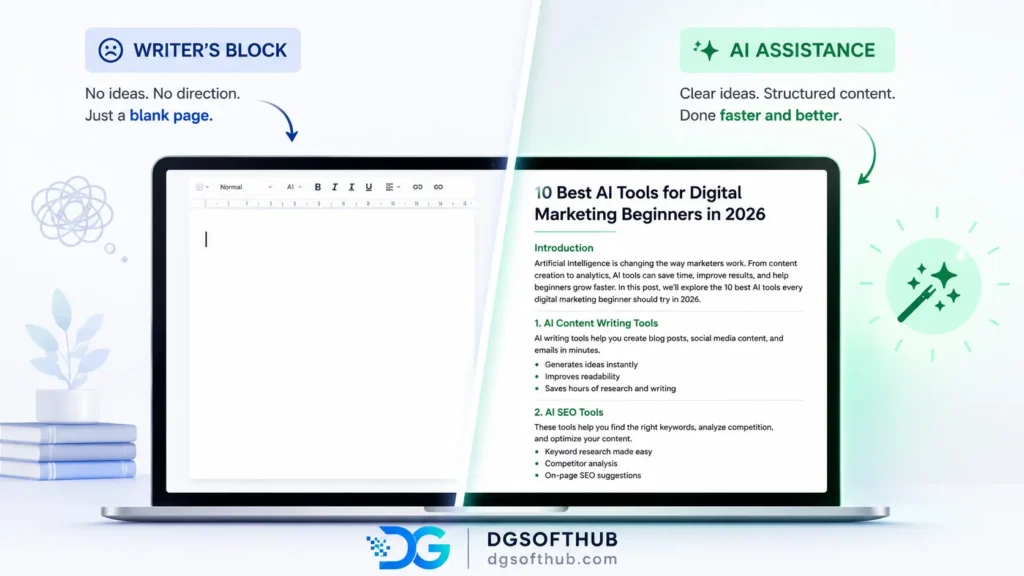
It’s not perfect, I used ChatGPT to create the initial outline for several beginner SEO articles on DGSoftHub. While it reduced drafting time significantly, every article still required manual fact-checking and editing before publishing.
What ChatGPT does well
- Generating blog post outlines from a single prompt
- Writing first drafts you can edit rather than starting from scratch
- Brainstorming content angles, headline variations, and FAQ ideas
- Rewriting awkward sentences in a clearer style
- Drafting email sequences, captions, and ad copy
Where beginners go wrong with ChatGPT
The most common mistake is treating ChatGPT output as finished content. A post generated without editing sounds like every other AI post out there — generic, vague, and thin on actual insight. Google’s helpful content system is quite good at detecting this now.
A better approach: use ChatGPT to generate a draft outline or a rough first section, then rewrite it in your own voice, add your own experience, and cut anything that doesn’t add value. Think of it as a research assistant, not a ghostwriter.
| Real-world tip Ask ChatGPT: ‘Write me 10 content angles for beginners on [topic] that experienced marketers usually skip.’ This gets you more original ideas than a generic prompt like ‘write a blog post about X.’ |
decoding=”async”
2. Claude — Best AI Tool for Long-Form Writing
Claude wasn’t the first AI tool I tested, and honestly, I didn’t expect much from it at the beginning. After using ChatGPT for so long, I assumed most AI writing tools would feel pretty similar.
They didn’t.
Where ChatGPT is usually quick and flexible, Claude seems better at handling large amounts of text without losing the thread. I’ve pasted rough article drafts, scattered notes, and half-finished outlines into Claude, and it often does a surprisingly good job of turning the chaos into something readable.
What Claude does well
- Rewriting long articles without losing context
- Summarizing large amounts of information
- Expanding rough notes into structured content
- Maintaining a consistent tone across longer pieces
- Organizing complicated topics into easier-to-follow sections
The catch? Claude can make absolutely anything sound incredibly polished—even if it’s completely useless
Claude is a strong writing assistant, but I wouldn’t automatically choose it for every marketing task.
If you’re writing Facebook ads, product descriptions, or sales-focused copy, ChatGPT and Jasper often feel more direct and conversion-focused. Claude tends to lean toward clarity and explanation rather than persuasion.
There’s also a small trap beginners should watch out for: Claude can make almost anything sound polished. That’s useful, but polished doesn’t always mean useful. You’ll still need to add your own examples, opinions, and experience if you want content that stands out.
My Experience
For blog posts, tutorials, and research-heavy content, Claude is one of the better AI tools I’ve used.
One thing I noticed is that longer drafts often require less restructuring afterward. Instead of spending time moving sections around and fixing the flow, I usually find myself making smaller edits and adding personal insights.
Would I replace ChatGPT with it completely? No.
But if you’re writing long-form content regularly, Claude is absolutely worth testing. You don’t have to pick a side. Use whichever tool gets you closer to a publishable draft with the least amount of frustration.
3. Canva AI — Best Design Tool for Non-Designers
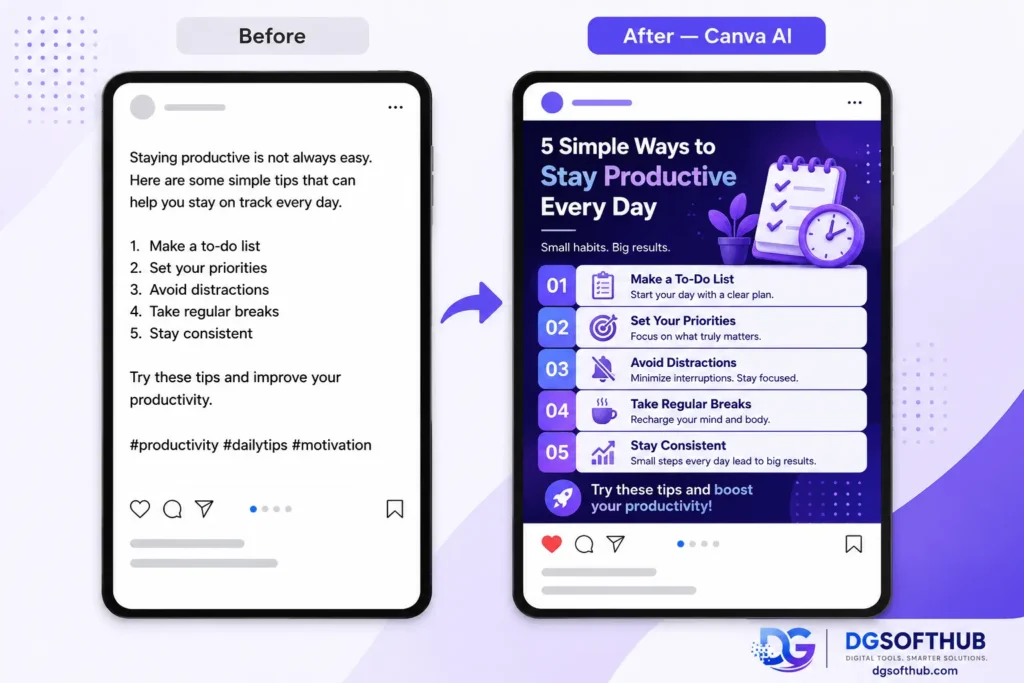
Most beginner marketers aren’t designers. Canva AI is built for exactly that situation. It gives you professional-looking graphics without needing to understand color theory, typography, or layout rules.
What you can create with Canva AI
- Blog featured images that match your brand colors
- YouTube thumbnails with readable text overlays
- Social media graphics in every size format
- Simple infographics for step-by-step content
- Email headers and marketing banners
Canva’s AI image generator and Magic Design feature let you describe what you want and get a starting template in seconds. The free plan covers most of what a beginner needs. The Pro plan (around $13/month) adds brand kits, background removal, and more advanced AI features.
One thing worth knowing: Canva AI designs look good but can feel similar to each other if you always stick to the suggested templates. Spend a few minutes customizing fonts and colors to make your graphics look more like yours.
I still use Canva for most featured images on DGSoftHub because it’s faster than opening a full design program for simple graphics.
decoding=”async”
4. Grammarly — Best AI Writing Assistant for Quality Control
This one doesn’t get enough credit. Grammarly isn’t just a spell-checker. It catches awkward phrasing, flags passive voice, spots sentence clarity issues, and even suggests tone improvements based on who you’re writing for.
For anyone writing content that needs to build trust — which is essentially all content for SEO and affiliate marketing — Grammarly is worth having as a final check before you publish.
Why Grammarly Still Matters
Poorly written content doesn’t just frustrate readers — it increases bounce rates, which signals to Google that your page isn’t delivering value. A tool that consistently catches these issues before they go live is an easy SEO win.
The free version of Grammarly handles the basics well. The paid version adds more advanced style suggestions and a plagiarism checker, which can be useful if you’re editing heavily from AI drafts.
5. Ubersuggest — Best AI SEO Tool for Keyword Research
Keyword research is where most beginners either skip entirely or get completely lost. Ubersuggest makes it accessible without requiring you to understand every metric upfront.
What Ubersuggest helps you find
- Low-competition keywords that new sites can actually rank for
- Related keyword ideas you wouldn’t have thought of
- What your competitors are ranking for
- Basic SEO audit issues on your own site
- Traffic estimates for keywords before you write about them
A practical starting point: type your main topic into Ubersuggest, then filter results by keyword difficulty below 30 and monthly search volume above 200. That range gives you realistic targets as a new site. You won’t rank for high-volume head terms right away, and there’s no point spending time writing about them.
| Common beginner mistake Targeting keywords with 50,000+ monthly searches when your site is new. These are almost always dominated by established sites with thousands of backlinks. A focused article on a 500-search keyword with low competition will drive more actual traffic in 6 months. |
6. Surfer SEO — Best AI Tool for On-Page Content Optimization
I ignored Surfer SEO for a long time because I thought good writing would naturally rank if the content was useful enough.
Eventually, I realized that wasn’t always true.
I had articles that were well-written and genuinely helpful, yet they struggled to gain traction in search results. That’s when I started paying more attention to on-page SEO and tools like Surfer.
What Surfer does is fairly simple: it analyzes pages that are already ranking for your target keyword and highlights areas your content may be missing. Sometimes it’s a topic you forgot to cover. Other times it’s a heading, subtopic, or question that keeps appearing on competing pages.
What Surfer SEO does well
- Highlights content gaps compared to competing pages
- Suggests related topics and keywords to cover
- Helps structure articles more effectively
- Provides real-time optimization feedback while writing
- Makes on-page SEO easier to understand for beginners
Where beginners should be careful
One mistake I see quite often is people becoming obsessed with the score.
It’s easy to fall into the trap of trying to hit every recommendation, every keyword, and every suggested term. The problem is that content can start sounding forced when you do that.
I’ve seen articles with excellent Surfer scores that were painful to read.
The recommendations are useful, but they should support your writing, not control it.
My take
If you’re brand new to blogging or SEO, I wouldn’t rush to pay for Surfer SEO.
Learning keyword research, search intent, and basic content writing will move the needle much more in the beginning.
That said, once you’re publishing consistently, Surfer becomes much more valuable. It can help explain why one article ranks while another one stalls, even when both seem equally good on the surface.
For me, it’s not an SEO shortcut. It’s more like a reality check that helps spot things I may have overlooked before hitting publish.
7. Jasper AI — Best AI Tool for Marketing Copy
Where ChatGPT is a general-purpose assistant, Jasper is built specifically for marketing output: ad copy, product descriptions, landing page text, and email campaigns. It’s trained on marketing content and tends to produce copy that’s tighter and more conversion-focused out of the box.
That said, Jasper is one of the pricier tools on this list (starting around $49/month). It makes more sense once you’re doing consistent client work or running paid ads where the quality of your copy directly affects your return on spend. For pure blogging or SEO content, ChatGPT plus your own editing covers most of the same ground at lower cost.
I tested Jasper when comparing AI copywriting tools, and one thing I noticed is that it tends to produce more sales-focused language than ChatGPT. That’s useful for ads and landing pages, but sometimes it feels too promotional for educational blog content.
I used it briefly for a client’s Facebook ad campaign and the copy was tighter than what I’d produce with ChatGPT — but at $49/month, the ROI only made sense once the ads were actually running
8. Pictory — Best AI Video Marketing Tool for Content Repurposing
If you’re writing blog posts, you’re sitting on video content you haven’t made yet. Pictory converts your written articles into short video clips, pulling key points and pairing them with stock footage and captions automatically.
Video is growing as a format for SEO, especially with Google surfacing video results more prominently. Repurposing a blog post into a 60-second explainer for YouTube or Instagram Reels takes about 10 minutes with Pictory, compared to hours of manual editing.
It’s not a substitute for proper video production if you’re building a video-first channel, but for content repurposing it’s one of the most practical time-savers on this list.
I don’t create video content for every article, but Pictory made me realize how much existing content can be repurposed without starting from scratch
9. Notion AI — Best Tool for Staying Organized as a Digital Marketer
Many beginners underestimate how much time gets lost to disorganization. Content ideas spread across notes apps, browser tabs, and Google Docs. Publication schedules exist only in someone’s head. Deadlines slip.
Notion AI adds a layer of intelligence on top of a workspace that can hold your editorial calendar, keyword research, client notes, and content drafts all in one place. The AI feature can summarize notes, generate content briefs from scratch, or turn a rough idea into a structured plan.
The free plan is generous. If you’re managing more than a couple of content projects at once, having everything centralized saves more time than most people expect.
I resisted using project management tools for a long time because they felt like extra work. Once my content ideas started living in three different places, that changed quickly.
10. Perplexity AI — Best AI Research Tool for Finding Reliable Information
One of the biggest lessons I’ve learned from using AI tools is that a confident answer isn’t always a correct answer.
That’s exactly why I started using Perplexity.
After a while, I got tired of opening multiple tabs just to verify information from AI-generated responses. Perplexity helped simplify that process because it doesn’t just give an answer — it also shows where the information came from.
That might not sound exciting at first, but when you’re writing blog posts, researching keywords, checking statistics, or comparing software tools, having sources right in front of you saves a surprising amount of time.
What Perplexity does well
- Pulls information from multiple sources quickly
- Shows citations alongside its answers
- Makes content research faster
- Summarizes complex topics into something easier to understand
- Reduces the number of browser tabs you need open
Where it falls short
Perplexity is one of my favorite research tools, but I rarely use it to write complete articles.
If I need a blog outline, content draft, or help improving the flow of an article, I usually switch back to ChatGPT or Claude. Those tools are simply better at creating and refining content.
Perplexity’s strength is finding information, not replacing the writing process.
My take
Whenever I’m researching a topic that involves recent updates, industry trends, or statistics, Perplexity is usually one of the first tools I open.
I don’t blindly trust every source it shows, but it gives me a much better starting point than relying on an AI chatbot alone. Instead of spending twenty minutes searching for supporting evidence, I can often find what I need in a few minutes and then verify it myself.
For beginners, that’s probably the biggest benefit. Perplexity encourages a habit that many new marketers skip: verify first, publish second.
Recommended AI Tool Workflow for Beginners
Here’s how these tools fit together in a practical content workflow:
| Task | Recommended AI Tool | Free Plan? |
| Blog writing & content ideas | ChatGPT | Yes |
| Long-form writing | Claude | yes |
| Graphic design | Canva AI | Yes |
| Grammar & readability | Grammarly | Yes |
| Keyword research | Ubersuggest | Yes (limited) |
| Content SEO optimization | Surfer SEO | Trial only |
| Video creation from blog posts | Pictory | Trial only |
| Marketing copy & ad text | Jasper AI | Trial only |
| Productivity & content planning | Notion AI | Yes (limited) |
| Research and fact-checking | Perplexity AI | Yes |
You don’t need all of these on day one. A workable beginner stack is: ChatGPT for writing, Ubersuggest for keywords, Grammarly for editing, and Canva AI for visuals. Add the others as your volume and budget grow.
 loading=”lazy”
decoding=”async”
My Recommended Beginner AI Stack in 2026
After testing more AI tools than I probably needed to, my actual daily stack is surprisingly simple.
ChatGPT is still the tool I open first almost every day. I use it for blog outlines, rewriting awkward sentences, generating FAQ sections, brainstorming content angles, and organizing rough ideas into something publishable. More often than not, it gets me 70–80% of the way there, which saves a huge amount of time.
Gemini comes in when I need a second opinion or more current information. For example, if I’m researching a recent AI update, SEO change, or software release, I’ll often compare Gemini’s response with ChatGPT’s. Sometimes the difference is small, but occasionally Gemini surfaces details that help fill gaps in my research.
I experimented with DeepSeek for content creation, but it never became part of my workflow. The responses looked reasonable at first glance, but I found myself spending too much time rewriting sections to match the tone and depth I wanted. At that point, it wasn’t really saving me any time.
One limitation I’ve run into with ChatGPT is handling very specific requests. Ask it for a detailed tool comparison, a niche technical explanation, or something that depends on recent information, and the response can become overly broad. When that happens, I either refine the prompt further or cross-check the information with Gemini and other sources.
The biggest lesson wasn’t finding the perfect AI tool. It was realizing that no single platform does everything well. Picking one primary tool, learning it properly, and only adding a second tool when you repeatedly hit the same limitation has been far more effective than constantly chasing the latest AI release.
How to Get SEO Right When Using AI Content Tools
Using AI tools doesn’t automatically produce content that ranks. There are a few SEO principles that matter just as much as the tools themselves.
Match your content to search intent
Before writing anything, search your target keyword and look at what’s actually ranking. Are the top results how-to guides, comparison articles, product pages, or news? If Google is serving listicles for your keyword and you write a 3,000-word deep-dive essay, you’ll likely rank poorly regardless of quality. The format matters as much as the content.
Use headings to create a clear structure
H2 and H3 headings help both readers and search engines understand what a page covers. A good structure lets someone scan the article and decide if it answers their question. If your article is a wall of paragraphs, most visitors will leave within 30 seconds.
Add internal links from the start
Every time you publish something new, look for opportunities to link it from older articles. Internal linking distributes authority across your site and keeps readers on your pages longer — both of which help SEO. This is easy to forget when you’re starting out, but neglecting it for months means going back and manually updating dozens of posts later.
Optimize your images properly
Every image on your site should have a descriptive file name (not ‘image001.jpg’) and proper alt text that describes what the image shows. Keep file sizes compressed — large uncompressed images slow down page load speeds, which directly hurts your Google rankings. Tools like TinyPNG or Squoosh make compression fast and free.
Mistakes Beginners Make with AI Marketing Tools
These come up repeatedly. Knowing them upfront saves a lot of frustration:
- Publishing AI drafts without editing. The output needs a human pass — always.
- Using too many tools at once. Spreading yourself thin across 10 different platforms means mastering none of them. Start with three or four.
- Ignoring free tiers. Most of the tools on this list offer meaningful free plans. Use them before committing to paid subscriptions.
- Treating AI output as research. ChatGPT can get facts wrong. Verify any statistics or claims it produces before publishing them.
- Writing thin content. A 400-word AI-generated article with no original insight will not rank. Longer, more thorough content that genuinely helps readers consistently outperforms short content.
Some useful blogs you may like:
- How to Use ChatGPT for Digital Marketing in 2026
- The Ultimate 2026 Roadmap: How to SEO Your Digital Marketing Blog
- Rank Your Blog on Google Faster in 2026 — On-Page SEO Checklist for Beginners
Frequently Asked Questions
Which AI tool for digital marketing is the best starting point for beginners?
ChatGPT is the most versatile starting point. It handles content writing, brainstorming, and basic copywriting tasks that cover the majority of what a beginner needs. Pair it with Grammarly for editing and Canva AI for visuals, and you have a functional stack without spending anything.
Can AI-generated content rank on Google?
Yes — but only if it’s well-edited, genuinely helpful, and adds something beyond what AI produces by default. Google’s guidance is clear that it evaluates content based on quality and usefulness, not how it was produced. Thin, unedited AI content gets filtered out quickly.
Are these AI tools free?
Most offer free plans that are usable for beginners. ChatGPT, Canva AI, Grammarly, and Notion AI all have free tiers with meaningful features. Ubersuggest has a limited free option. Surfer SEO and Jasper AI are paid-first products — both offer trials, but there’s no ongoing free plan.
How long does it take to see results from AI-assisted content?
SEO results take time regardless of what tools you use. Realistically, expect 3–6 months before new content starts getting meaningful organic traffic. The advantage of AI tools isn’t a shortcut to rankings — it’s being able to produce more consistent, high-quality content over that period without burning out.
Is AI important for digital marketing in 2026?
It’s becoming a baseline skill rather than an advantage. Marketers using these tools well are producing more with less. Everyone else is grinding for the same output they got two years ago. You don’t need to use every tool available — but knowing the right ones and using them well matters.

Frequently Asked Questions
| Practical takeaway Start with three tools only: ChatGPT for your next blog post draft, Ubersuggest to find a low-competition keyword to target, and Grammarly to review and clean up what you write. Master those before adding anything else. The goal isn’t to use more AI tools — it’s to produce better content more consistently than you could before. |
The marketers who get the most out of AI tools are the ones who treat them as a system — each tool doing what it’s best at, with a human making the final judgment calls. Build that system gradually, and the results compound over time.
About Author
Muhammad Arif Hussain is a digital marketer and founder of DGSoftHub, a platform dedicated to digital products and practical online business guides. With hands-on experience in SEO, freelancing, and content strategy, he writes to help beginners cut through the noise and build real income online. You can explore his tools and resources at dgsofthub.com.