
How to Start a Blog and Make Money in 2026 (Real Step-by-Step Guide)
Most people who search for how to start a blog and make money quit within the first three months. Not because blogging doesn’t work — but because nobody tells them what the first six months actually look like.
I’ve watched beginners publish ten posts, get almost no traffic, and give up right when things were about to turn a corner. This guide skips the motivational fluff and walks you through the actual process: the niche, the setup, the content, and the income streams that can realistically generate income.
Here’s what you’ll walk away with: a niche strategy that won’t burn you out, a proper WordPress setup, an SEO and content plan that actually ranks, and four realistic ways to turn traffic into income.
What’s Covered in This Guide
- Why Blogging Still Works in 2026
- Pick a Niche You Can Actually Sustain
- Which Blogging Platform Should You Choose?
- Setting Up: Domain, Hosting, and WordPress
- The One Thing Most Beginner Guides Skip: Your Email List
- Writing Content That Actually Ranks
- Getting Your First Real Traffic
- Making Money From What You’ve Built
- The Legal Basics Nobody Mentions
- How Long This Actually Takes
- Mistakes That Kill Blogs Before They Start
- Frequently Asked Questions
Why Blogging Still Works in 2026
You’ve probably heard that AI has flooded the internet with content and blogging is dead. It hasn’t, and it isn’t — but the bar has moved. Google’s algorithm now actively rewards content with real experience behind it, not just information stitched together.
That’s good news for you, actually. A generic AI-written listicle can’t tell someone what actually happened when they tried something. You can. That’s what sets successful blogs apart today.
On DGSoftHub, I’ve tracked this directly — posts where I included a real screenshot, an actual result, or a mistake I made personally consistently outperformed the more “textbook” posts, both in rankings and in time-on-page. That’s not a coincidence.
Pick a Niche You Can Actually Sustain
A niche is just your blog’s core topic — the thing you’ll be writing about for the next year or two. Most beginners pick a niche based on what sounds profitable, then quit six weeks in because they’re bored out of their mind writing about it.
Pick something at the overlap of three things: you know it (or are willing to learn it fast), people are actively searching for it, and there’s a way to monetize it. Missing any one of those three usually ends in a dead blog.
A small, slightly embarrassing example: my first attempt at a niche site was about productivity apps, a topic I picked because it looked profitable on paper. I lasted eleven posts before I ran out of anything honest to say. Pick something you’d still have opinions about a year from now.
- Search the topic on Google and look at who’s already ranking. If it’s all massive sites like Forbes or NerdWallet, that’s a signal the niche is brutally competitive for a new domain.
- Check search volume with a free tool like Google Keyword Planner or Ubersuggest.
- Look for sub-niches. “Fitness” is nearly impossible to break into. “Home workouts for people with bad knees” is specific enough to actually rank for.
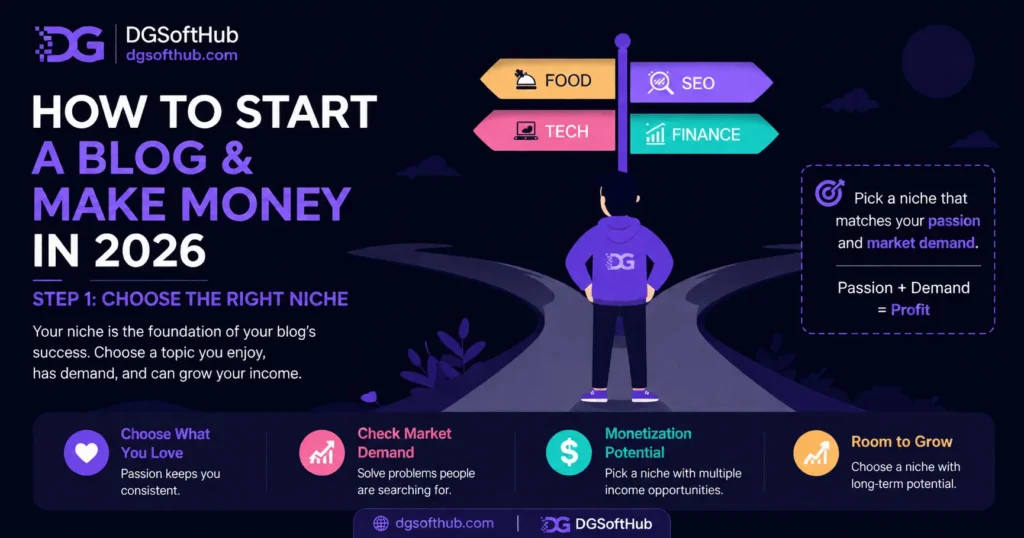 Choosing the right niche is the first step to building a profitable blog. This illustration shows how selecting a niche based on passion, market demand, monetization potential, and long-term growth can lead to blogging success in 2026.
Which Blogging Platform Should You Choose?
| Platform | Best For | SEO & Monetization | My Recommendation |
| WordPress.org | Long-term blogs & businesses | ★★★★★ | Best overall choice |
| Wix | Beginners wanting simplicity | ★★★ | Good for small websites, but less flexible |
| Blogger | Hobby blogging | ★★ | Free, but limited growth potential |
| Medium | Writing and audience building | ★★ | Great for publishing, but you don’t own the platform |
If your goal is simply to share your thoughts or write occasionally, platforms like Blogger or Medium can be a good place to start. However, if you’re building a blog with the intention of attracting search traffic and earning income over time, WordPress is usually the better choice. It gives you full ownership of your website, greater control over SEO, access to a large ecosystem of plugins, and the flexibility to grow from a simple blog into a complete online business. While there is a slightly steeper learning curve than some website builders, that extra flexibility is one of the reasons WordPress powers so many successful blogs today.
Setting Up: Domain, Hosting, and WordPress
Your domain is your web address (yourblogname.com). Hosting is the server that actually stores your site and serves it to visitors. You need both before anything else happens, and then WordPress goes on top.
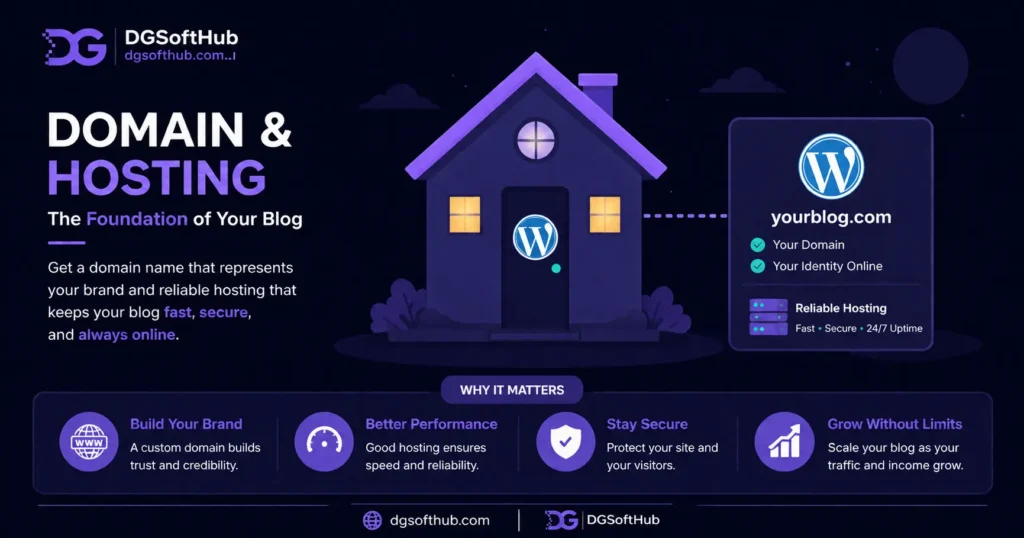 Choose a memorable domain name and reliable web hosting to build a fast, secure, and professional WordPress blog. A strong hosting foundation improves website performance, user experience, and long-term SEO success.
What You Should Actually Spend
This is the part most guides gloss over, and it matters because a lot of beginners either overspend on hosting they don’t need yet, or go so cheap the site becomes unusable within weeks.
- Domain: roughly $10–15/year through a registrar like Namecheap or Squarespace.
- Hosting: a beginner shared hosting plan runs about $3–8/month if you commit to a year upfront. Don’t buy three years of hosting on day one — you don’t know yet if you’ll stick with this niche.
- Skip the “premium” add-ons hosting companies push at checkout (extra backups, site accelerators). You don’t need them starting out.
Once you’ve purchased your domain and hosting, most providers make installing WordPress surprisingly simple. In most cases, it’s just a few clicks, and you’ll have your blog ready to customize in minutes. If you’ve been worried that building a website requires coding skills, this is one step you don’t need to stress about.
While you’re setting everything up, create a free Google Search Console account as well. Although you won’t use it much on day one, setting it up early lets you submit your sitemap, monitor how Google indexes your pages, and identify any issues as your blog grows. We’ll cover how to use it later in this guide when we talk about getting traffic.
Plugins Worth Installing on Day One
- An SEO plugin (AIOSEO or Yoast) — handles your titles, meta descriptions, and sitemap without you touching code.
- A caching/speed plugin — page speed directly affects both rankings and how many visitors stick around.
- A security/backup plugin — losing months of work to a hack because you skipped this is more common than people think.
Pick a simple, fast-loading theme over a flashy one. A beautiful theme that takes six seconds to load will actively hurt your rankings and your reader’s patience.
The One Thing Most Beginner Guides Skip: Your Email List
Here’s where things usually go wrong — most beginner guides don’t mention this at all, and it’s arguably the biggest gap in most “how to start a blog” content out there, including earlier versions of this exact post.
Traffic you don’t capture is traffic you lose forever. Someone reads your post, closes the tab, and you have no way to reach them again unless they happen to come back on their own. An email list fixes that.
In practice, what this looks like is: offer a free, genuinely useful download — a checklist, a template, a short guide — in exchange for an email address. Mailchimp or ConvertKit‘s free tier is enough to start; you don’t need anything fancier for the first few hundred subscribers.
You don’t need thousands of subscribers for this to matter. A few hundred engaged people who trust you will outperform relying on Google alone, especially since algorithm updates can crush your traffic overnight without warning.
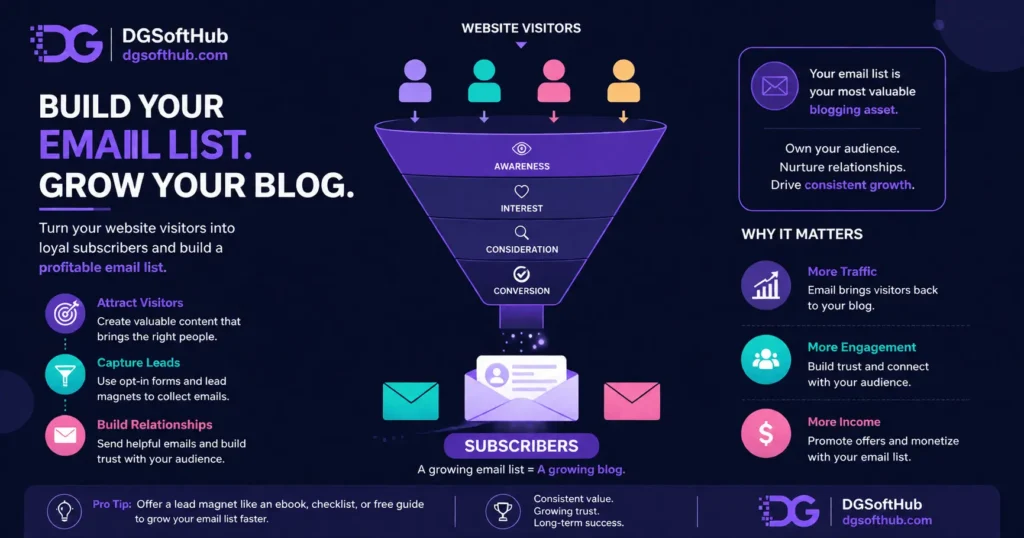 Build a profitable email list by converting website visitors into loyal subscribers. This infographic explains the email marketing funnel, from attracting visitors to nurturing relationships and increasing blog traffic, engagement, and long-term revenue.
Writing Content That Actually Ranks
Content is where most of your time will go, and it’s also where most beginners waste effort writing about the wrong things in the wrong way.
SEO Basics That Matter More Than Word Count
- Search intent first. Before writing, Google your target keyword and look at what’s already ranking — a how-to guide, a listicle, a product page. Match that format.
- One focus keyword per post, used naturally in your title, your first paragraph, at least one subheading, and a couple of times in the body.
- Real structure. Break content into scannable H2 and H3 sections.
- Answer the question completely. Thin 400-word posts rarely rank for anything competitive anymore, but padding for word count backfires just as badly.
- Link related articles together. Every time you publish a new post, look for opportunities to link to older articles that expand on the topic. Internal links help readers discover more useful content, keep them engaged for longer, and help search engines understand how your pages relate to one another. As your blog grows, this simple habit can strengthen both your user experience and your SEO.
This is the part nobody talks about: writing content that ranks isn’t really about tricking Google. It’s about being the clearest, most useful answer to the question someone typed in.
Getting Your First Real Traffic
Traffic takes time, and that’s the honest truth nobody wants to hear when they’re staring at zero visitors after publishing their first post.
Where Traffic Actually Comes From
- Google Search — submit your site to Google Search Console immediately so it gets indexed faster.
- Pinterest — genuinely underrated for blog traffic, especially in food, home, finance, and DIY niches. A single well-designed pin can drive traffic for years.
- Social sharing — don’t expect Instagram or Twitter/X to send massive traffic early on, but consistent posting builds an audience that eventually clicks through.
- Other blogs and communities — genuinely helpful comments and guest posts on relevant sites can send real, targeted visitors.
Most beginners skip this step entirely and just wait for Google to notice them. Don’t. In the first three months, traffic should come from everywhere except organic search, because organic search usually hasn’t caught up yet.
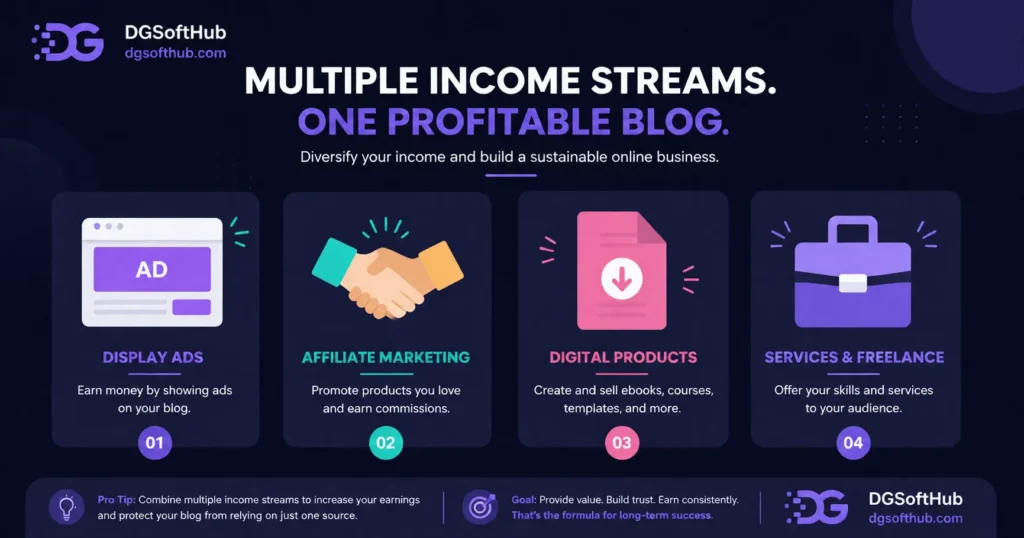 Diversify your blog income with multiple monetization methods, including display advertising, affiliate marketing, digital products, and freelance services. Building several revenue streams creates a more stable and profitable blogging business in 2026.
Making Money From What You’ve Built
Once you’ve got consistent visitors, you have options. Most blogs that actually make money use two or three of these together, not just one.
Display Ads
Google AdSense is the easiest entry point — you don’t need much traffic to get approved. It won’t make you rich early on, but it’s passive income once running, and it scales with your traffic.
Affiliate Marketing
You recommend products or tools you’d genuinely use, and earn a commission when someone buys through your link. This tends to outperform ads once you have an engaged audience, because it converts on trust rather than impressions.
Digital Products and Freelance Work
eBooks, templates, and mini-courses take more upfront work but carry close to 100% margin once built. And your blog itself becomes proof of expertise — if you write about SEO and rank your own posts, that’s a live case study for potential clients on platforms like Fiverr or Upwork.
The Legal Basics Nobody Mentions
- A privacy policy page — required if you use analytics, ads, or collect emails.
- An affiliate disclosure — the FTC requires you to disclose affiliate relationships clearly, near the recommendation, not buried in a footer link.
- A basic disclaimer — especially relevant in finance, health, or legal niches, where you’re not a licensed professional giving official advice.
None of this takes more than an hour to set up, and it protects you once your blog starts making actual money.
How Long This Actually Takes
- Month 1–2: Setup and learning phase. You’re picking your niche and publishing your first posts, and traffic is close to zero. Normal, not a sign of failure.
- Month 3–6: Traffic starts trickling in from Google and other channels. Your email list starts growing. Still not much income, if any.
- Month 6–12: If you’ve stayed consistent, this is usually where the first real income shows up.
Consistency beats intensity here. Ten mediocre months of publishing regularly will outperform one intense month followed by five months of silence, every time.
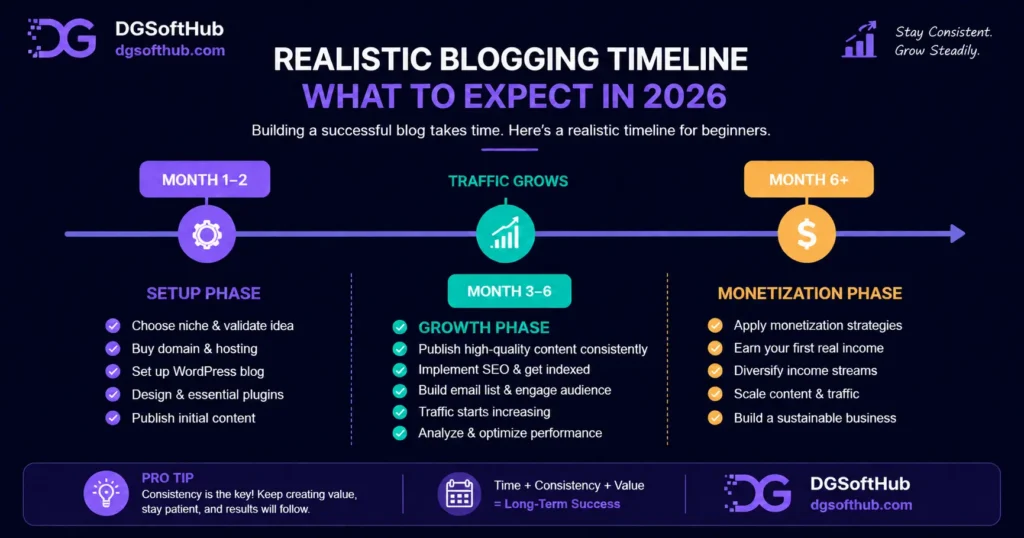 A realistic blogging roadmap for beginners illustrating the typical journey from setting up a blog to growing organic traffic and earning the first income. Success in blogging comes from consistent publishing, SEO, audience building, and patience over time.
Mistakes That Kill Blogs Before They Start
- Picking a niche based on income potential alone, then losing interest before month three.
- Ignoring SEO entirely and hoping social media alone will carry traffic.
- Publishing inconsistently — a burst of five posts, then nothing for two months.
- Skipping the email list and losing every visitor who doesn’t come back on their own.
- Copying competitor content instead of adding a genuine angle Google can actually reward.
Want a Faster Start?
If you want ready templates, roadmap, and tools:
👉 Download the Free Digital Marketing Starter Kit and start building your blog with confidence.
Frequently Asked Questions
Can complete beginners really start a blog with no experience?
Yes. The technical setup takes a couple of hours at most with modern hosting tools. The real skill — writing useful content consistently — is learned by doing.
How much does it cost to start a blog in 2026?
Realistically $50–100 for your first year covering domain and hosting. Everything else has solid free tiers when you’re starting out.
How much money can a new blog actually make?
There is no guaranteed income from blogging. Your earnings depend on factors such as your niche, content quality, website traffic, and monetization strategy. Many new blogs earn little or no income at first, but consistent publishing and SEO can help build traffic and revenue over time.
Do I need to be a good writer to start a blog?
No — you need to be clear and useful, not literary. Readers searching for a how-to guide want the answer fast.
Should I use WordPress or a website builder like Wix?
If your goal is to grow your blog, attract search traffic, and earn income over time, WordPress is usually the better choice. It offers greater flexibility for SEO, plugins, and customization as your website grows. Website builders like Wix can be easier to get started with, but they may offer fewer advanced options in the long run.
How often should I publish to grow a blog?
Once a week is a solid, sustainable starting pace. Consistency over months matters more than bursts of activity.
Is blogging still worth it with so much AI-generated content online?
Yes. Blogging is still worth it. AI can help you research ideas and draft content, but blogs that share real experience, original insights, and genuinely helpful advice can still attract readers and grow through search over time.
If there’s one thing to take away from this guide, it’s this: every successful blog starts small. Don’t worry if your first posts don’t attract much attention. Traffic and income take time to build. What matters most is publishing consistently, improving with every post, and creating content that genuinely helps the people you’re trying to reach.
What You Should Do Next
- Pick your niche today using the validation checklist above — take enough time to research your options, but don’t let endless research stop you from choosing a niche and getting started. You’ll learn far more by publishing your first few posts than by spending weeks trying to find the “perfect” niche.
- Buy your domain and hosting this week, and get WordPress installed before you talk yourself out of it.
- Set up one lead magnet and connect it to a free email tool before you publish your fifth post.
- Write your first three posts around real search intent, not just topics you feel like writing about.
- Submit your site to Google Search Console the same day you publish your first post.
- Revisit this guide again at month three. What felt overwhelming today will make a lot more sense once you’ve actually started.
Keep Learning
- SEO Basics for Beginners (Step-by-Step Guide to Rank on Google)
- Complete Guide: Best Freelancing Platforms for Beginners in 2026
- How to Make Money with Digital Marketing
- How to Find Low Competition Keywords (Easy Method for Beginners)
About the Author
This guide was written by the founder of DGSoftHub, a digital marketing education platform built for beginner-to-intermediate marketers who want practical, beginner-friendly guidance on SEO, AI tools, content strategy, and growing an online business. DGSoftHub’s mission is simple: Learn. Implement. Grow Online.


This guide breaks down the blogging process in a really clear way, especially the part about choosing a niche and setting up the basics. As someone just starting out, it’s helpful to see the step-by-step approach without feeling overwhelmed. The emphasis on long-term income potential is also a nice reminder that blogging can be sustainable, not just a quick side hustle.
Thank you so much for your thoughtful feedback! I’m really glad you found the step-by-step approach helpful, especially when starting out. Choosing the right niche and building a strong foundation can make a big difference in the long run. You’re absolutely right—blogging is more of a long-term journey than a quick win. Stay consistent, and you’ll definitely see results. Feel free to reach out if you need any guidance along the way!
[…] How to Start a Blog […]